
Auction Alert WhatsApp Integration
Auction Alert via WhatsApp is a smart and instant communication feature that allows businesses to notify customers about upcoming auctions directly on their WhatsApp. Using Omnihubs’s WhatsApp API, auction reminders can be sent automatically with details like date, time, location, and special instructions.
This system helps auction companies, car dealers, jewelry stores, property sellers, and bidding platforms deliver fast updates to their audience.
⭐ What Is Auction Alert Messaging?
Auction Alert messaging delivers real-time notifications on WhatsApp whenever an auction is scheduled.
It includes important details such as:
-
Auction title
-
Date and time
-
Venue or online link
-
Special instructions
-
Contact details
These alerts ensure that bidders never miss an important auction announcement.
⭐ Why Use WhatsApp for Auction Alerts?
✔ Massive Reach
WhatsApp is the most used communication platform, ensuring your auction updates reach users instantly.
✔ Instant Delivery
Auction notifications reach customers within seconds—perfect for time-sensitive events.
✔ High Engagement
WhatsApp messages have 98% open rate, much higher than SMS or email.
✔ Rich Message Format
You can send:
-
Text
-
Links
-
PDFs
-
Images
-
Buttons (Join Auction, Register, View Catalogue)
✔ Smart Automation
Using Omnihub API, alerts can be sent automatically based on triggers like:
-
New auction added
-
Time reminder (1 hour before)
-
Last-call notification
⭐ How Auction Alert System Works
Admin enters auction details (title, time, link, instructions).
The system connects with Omnihubs WhatsApp API.
The alert is sent using a pre-approved WhatsApp template.
Customer receives the notification instantly.
Customer can click a button to register, join, or get more details.
1. Prerequisites
Before you start, make sure you have:
- Omnihus Account & Project
- An active Omnihus account.
- WhatsApp channel enabled for your project.
- API Base URL
- {{OMNIHUS_BASE_URL}}
- API Key
Obtain your Omnihus API key from the dashboard:{{YOUR_API_KEY}}
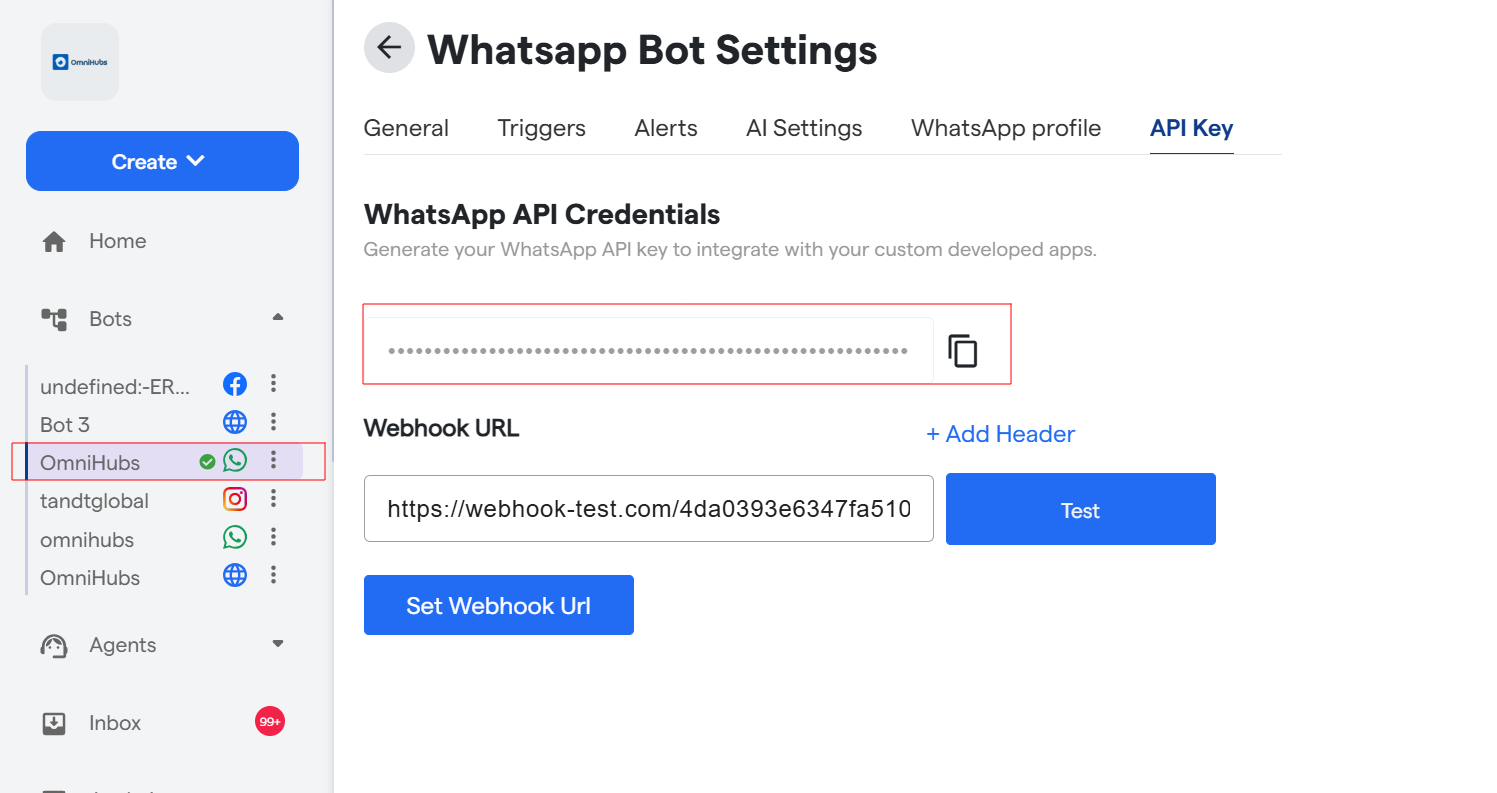
5. WhatsApp Sender Number (From Omnihus) This is configured in Omnihus (the number users see as the sender), e.g.:+1234567890 6. OTP Template (in Omnihus) In Omnihus dashboard, create or use an existing template such as:
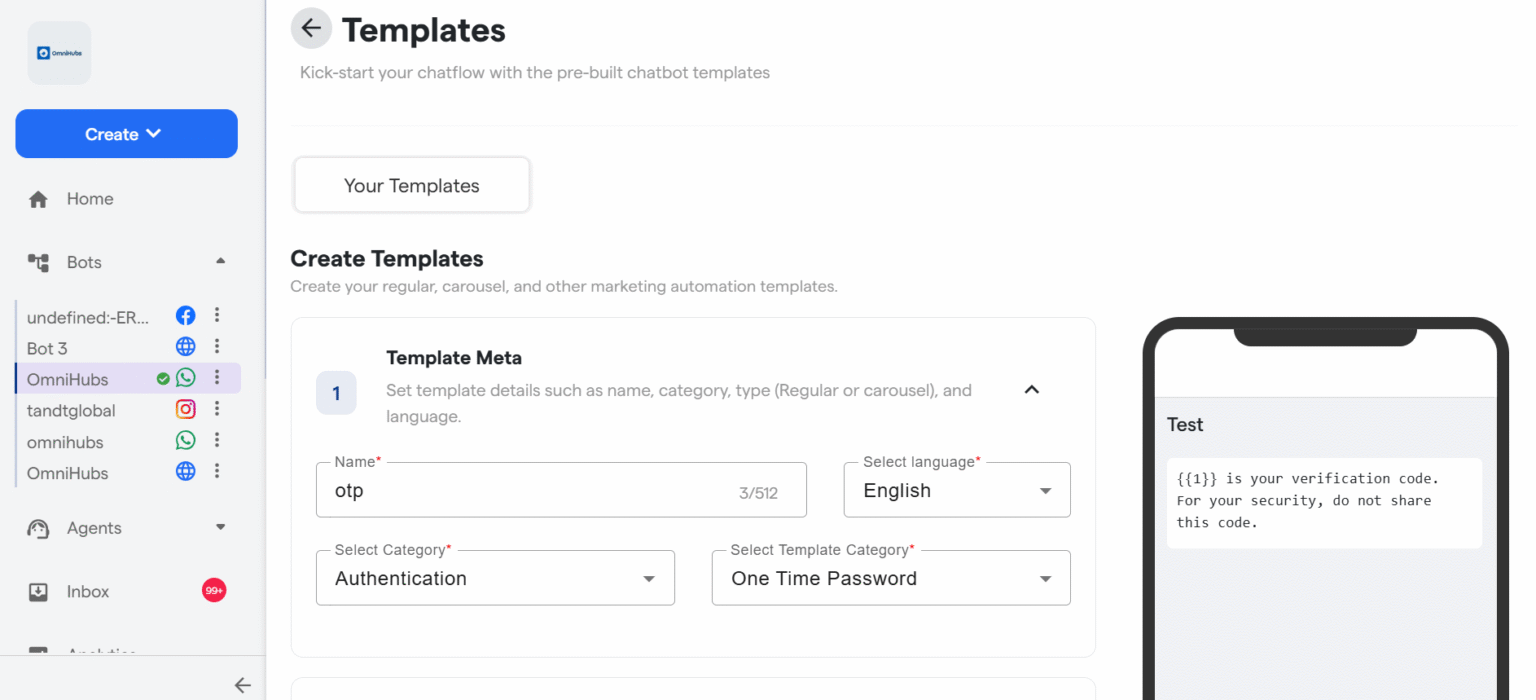
Note the template ID: {{WHATSAPP_TEMPLATE_ID}}
API End Point
Base URL
https://api-v7.express-chat.com/whatsapp-automation/wa/send-template?apiKey=*API KEY*
Request
curl
curl --location 'https://api-v7.express-chat.com/whatsapp-automation/wa/send-template?apiKey=*Api Key*\
--header 'apiKey: *ApiKey* \
--header 'Content-Type: application/json' \
CURL– Send Invoice
curl
--data '{
    "wa_id": "965XXXXXXXX",
    "userName": "YYY",
    "templateId": "692e94fb40a646acd616858f",
    "params": [
        {
            "type": "Header",
            "parameters": [
                 {
                            "type": "document",
                            "document": {
                            "link": "https://omnihubs.io/Demo/Auction.pdf"
                            }
                 }
            ]
        }

    ]
}'


