
🏠Introduction to Omnihubs
Learn what Omnihubs is, how it works, and how you can build chatbots and AI agents to automate conversations, capture leads, and manage customer interactions across multiple channels.
Welcome to Omnihubs—your all-in-one platform for building smart, powerful, and automated chatbots without writing a single line of code. Whether you want to engage website visitors, automate customer support, streamline lead generation, or manage conversations across multiple channels, Omnihubs makes it effortless.
This page will walk you through what Omnihubs is, what it can do, and why it’s the perfect choice for your business.
About Omnihubs ?
Omnihubs is a no-code chatbot and AI Agent builder that allows businesses to create automated conversational experiences.
Using Omnihubs, you can:
Build chatbots and AI agents using a visual chatflow builder
Automate responses to common customer questions
Capture and manage leads from conversations
Integrate with external tools and business platforms
Allow human agents to take over conversations when needed
Bots created using Omnihubs can be deployed across several messaging platforms, enabling businesses to manage conversations from multiple channels in one place.
Key Highlights
🧩 No-Code Chatbot & AI Agent Builder
Create chatbots and AI agents using a visual chatflow builder. Design conversations, define responses, and configure actions without writing code.
🤖 AI-Powered Responses
Automate responses to common questions and guide users through structured conversation flows.
🌐 Multi-Channel Deployment
Deploy your chatbot across multiple communication channels from one platform:
🌍 Website
💬 WhatsApp
📘 Facebook Messenger
📸 Instagram
✈️ Telegram
📧 SMS
🧑🤝🧑 MS Teams
🎯 Lead Generation & Qualification
Collect user details during conversations and qualify leads directly through chatbot interactions.
🔧 Integrations That Work for You
Easily connect Omnihubs with tools such as:
CRM systems (Hubspot, Zendesk, Salesforce, Zoho-crm)
Email marketing platforms
Ticketing tools
Google Sheets
Webhooks and APIs
💬 Live Chat Handoff
Switch from automation to human support instantly using built-in Live Chat.
🔍 Analytics & Insights
Track conversations, performance, engagement, and lead data to improve your customer interactions.
📈 24/7 Automated Support
Track conversations, performance, engagement, and lead data to improve your customer interactions.
Why Omnihubs?
Omnihubs helps businesses:
Improve customer experience with instant responses
Automate repetitive support tasks
Reduce operational costs
Increase conversions and lead capture
Personalize communication at scale
Provide consistent service across multiple messaging channels
Whether you’re a startup, small business, or enterprise, Omnihubs adapts to your needs.
What You Can Build With Omnihubs
Omnihubs enables businesses to automate and manage different types of conversations with users.
Common uses include:
💬 Answer frequently asked questions automatically
🧾 Capture leads from website visitors during conversations
🛠 Automate customer support responses
🧭 Guide users through onboarding or information flows
📊 Collect feedback and user responses
These workflows can be designed using the chatflow builder, where you define how the chatbot or AI agent should respond to different user inputs.
Get Started
To start using Omnihubs:
1️⃣ Log in to your Omnihubs dashboard
2️⃣ Create or select a bot
3️⃣ Build your chatflow
4️⃣ Connect your preferred messaging platforms
5️⃣ Deploy your chatbot or AI agent
You can access your dashboard here:
👉 https://app.omnihubs.io/authentication
From the dashboard, you can create bots, design chatflows, connect integrations, and manage conversations with your users.
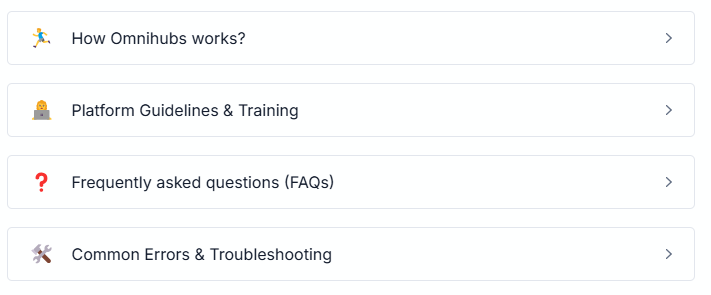
You can get detailed know-how by navigating to the below section.
❓ Got any questions?
If you have any questions, you can look into our repository of FAQs, most likely, you will find your answer here, If now, write us at info@tandtglobal.net


