This guide walks you through the step-by-step process of creating a custom AI Agent within the Omnihubs platform.
What are AI Agents?
AI Agents in Omnihubs are designed to perform specific tasks, automate user interactions, and integrate seamlessly with your workflows. Creating your own AI Agent gives you complete control over the agent’s tone, capability, and the logic it follows—making your automation more intelligent, personalized, and scalable.
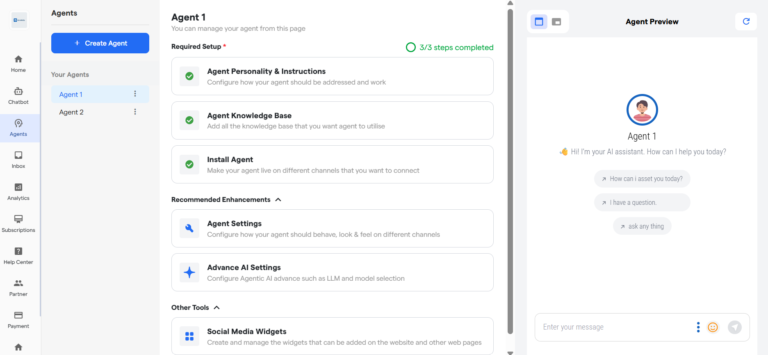
To Create an AI Agent, Go to Agent section from the side menu.
Then click on the “Create Agent” button on the top left, followed by the “Agent” button on the dropdown.
Click the Create Agent .
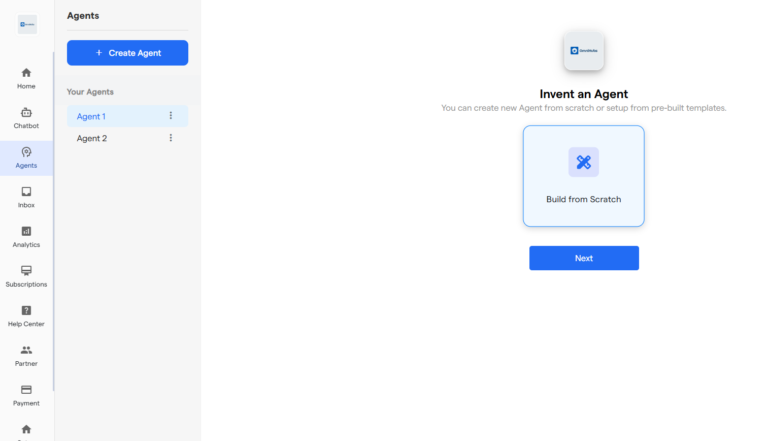
Select Build from Scratch when prompted to choose how you want to proceed, then click on Next to move to the configuration screen.
Alternatively, click on the “View All Templates” to view all the templates of the AI Agent’s
On the “Setup Agent Instructions” screen, enter the core instructions of the AI Agent. for best practices of the how to setup your agent’s work and behavior, see the best practices
Enter clear sentences defining your agent’s purpose. Example: “Help users schedule meetings in Google Calendar.”
Finally, click on Create Agent to complete the process and make the AI Agent!
Congratulations! You have successfully created your first AI Agent!