
1. Message
 2. Image/GIF
 3. Video
 4. Web Link
- It is used to send the information message to the user.
- You can add a text message which you want to send as information.
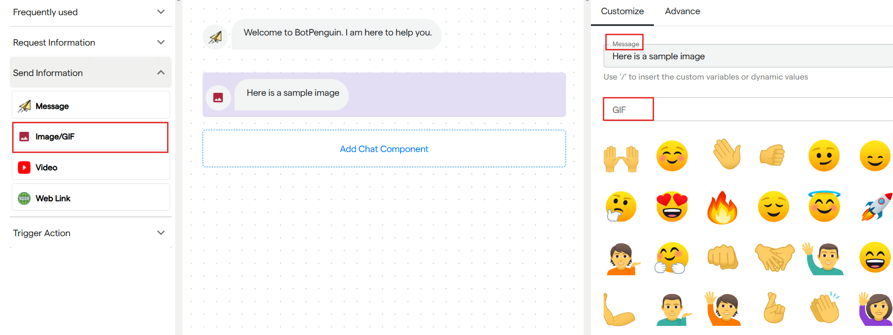
2. Image/GIF
It is used to send a GIF or an Image.
- You can add a text message for your image or GIF.
- If you want to send a GIF, search with its name in the GIF section.
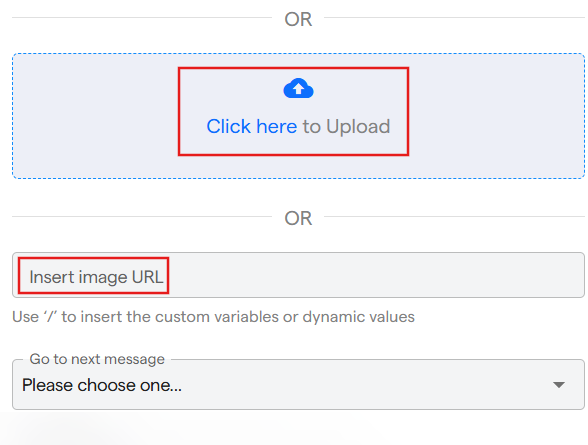
- Or you can scroll down and upload an image from your device or URL of the image.
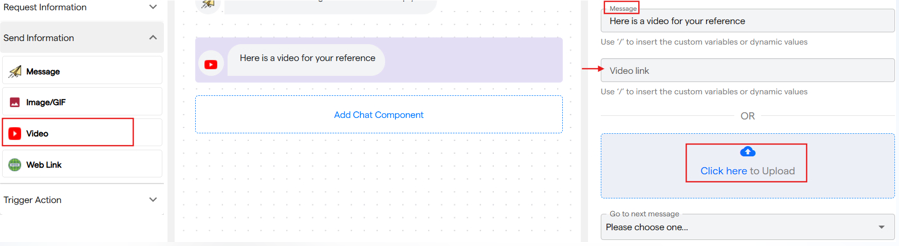
3. Video
It is used to send a video message in the chat flow.
- You can enter a text message to be sent along with the video.
- Add a video link or upload it from your device.
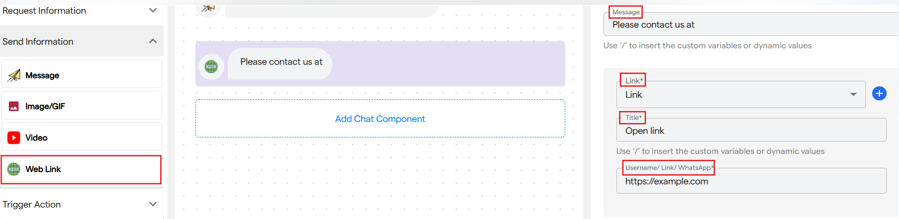
4. Web Link
It is used to send a web link in the chat.
- You can enter a text message which you want to send along with the link.
- You have to select the platform from the drop down for which you are adding the link.
- Also add a title for the link and insert the URL. You can add multiple links.
- When user clicks on the title they will be redirected on the page.


