
Subscription Plans
This guide explains how to view, upgrade, downgrade your Omnihubs subscription from the dashboard.
Subscription
Log in to your Omnihubs Dashboard.
Click on Subscriptions .
You will be redirected to Subscriptions → Plan tab.
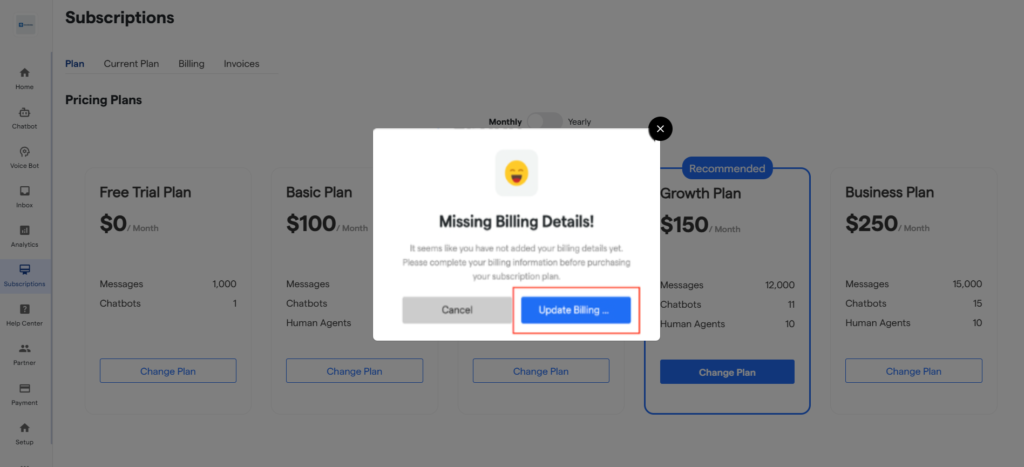
Here, you will see the pricing plans:
you will see the available plans and their features:
Basic Plan – This is the default plan assigned when a user first joins the platform. It is ideal for beginners who want to explore chatbots without risk.
Growth Plan – It is suitable for automating leads, bookings, and bulk messaging.
Business Plan – Designed for businesses handling higher volumes and requiring deeper integrations.
Enterprise Plan – Best suited for enterprises with custom requirements and very high usage.
You can choose the plan that best fits your needs. You also have the option to switch between monthly and yearly billing by simply toggling the plan duration.
5. Click Change Plan to switch to your preferred plan.
6. A pop-up will appear to add your billing details if they are missing.
7. Click on “Update Billing”.
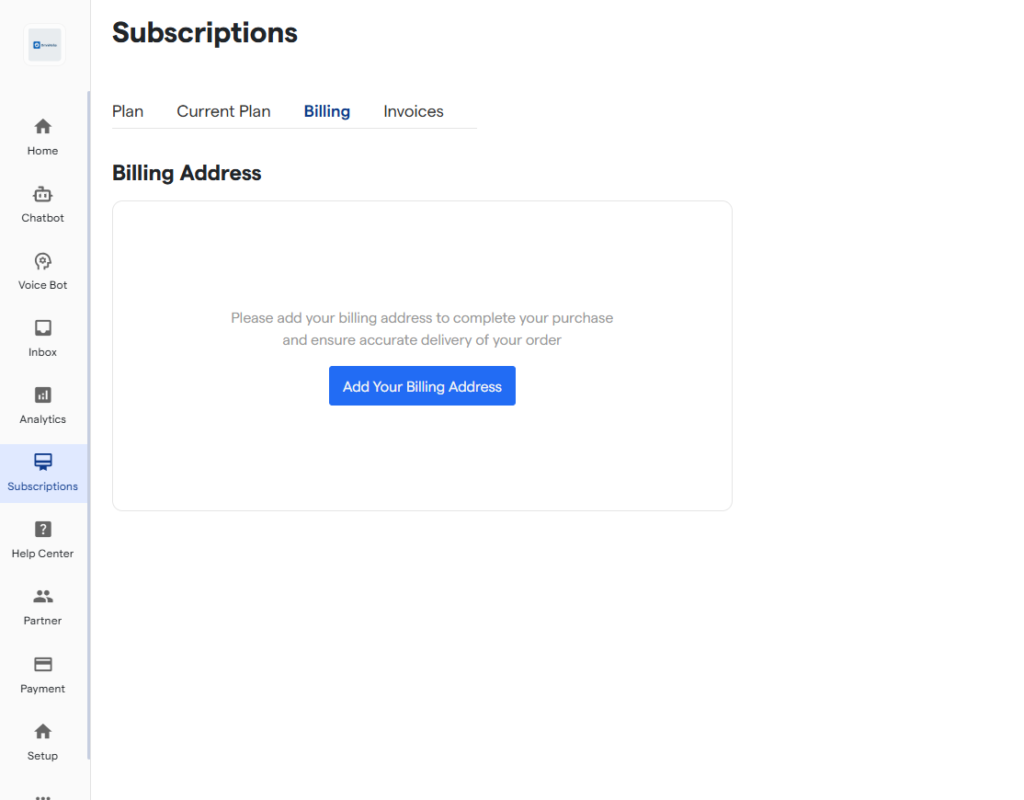
8. You will be redirected to the Billing screen.
9. Add your billing address and payment method.
9. After adding the details, go back to the Plans screen.
10. Select your desired plan and click on “Change Plan” button.
11. Click on the “Upgrade” button.


